
Looking Up Coordinates for All Listings
Maps need each listing's coordinates. New listings get them when you save, and listings without them are looked up the first time they're viewed. To fill in all your listings at once, for example after an import, use the bulk lookup.
From the dashboard
- Go to Easy Property Listings > Extensions > Open Street Maps > Address Lookup.
- Check the Contact Email is filled in and saved.
- Under Look Up Listings, click Look up coordinates.
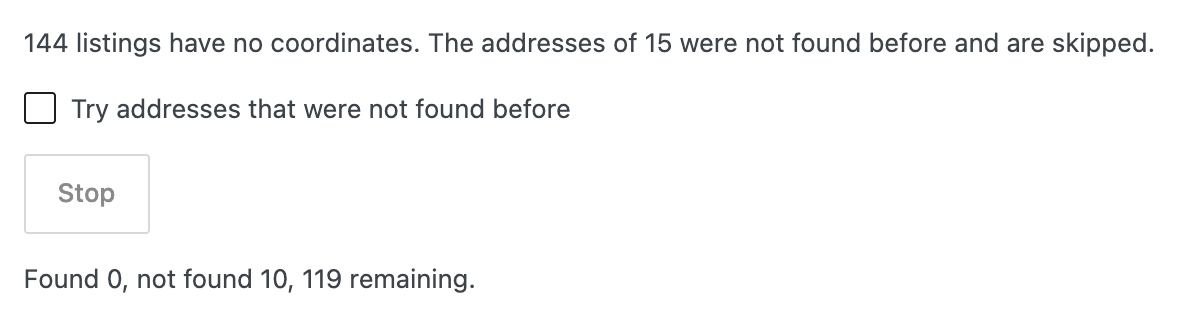
Progress and each listing's result are shown as it runs. Keep the page open until it says Done, or click Stop and carry on later; it continues where it left off.
One per second: the free lookup service allows one lookup per second, so 600 listings take about 10 minutes. For large sites, WP-CLI is easier.
Addresses that aren't found
Some addresses aren't in OpenStreetMap yet, usually streets in brand new estates. Unit numbers ( 3/41) and number ranges (599-601) are tried without the unit or with the first number automatically.
Listings whose address isn't found are skipped next time so the lookup doesn't keep retrying them. To fix one:
- Edit the listing and drag the pin onto the property, then update. Or
- Correct the address and update the listing, which tries again.
To retry all of them, for example once OpenStreetMap has been updated, tick Try addresses that were not found before before clicking the button.
With WP-CLI
If you have command line access to your server:
wp epl-osm status
wp epl-osm geocode
wp epl-osm geocode --limit=100
wp epl-osm geocode --retry-failed
wp epl-osm geocode --dry-run
statusshows how many listings have no coordinates.--limitstops after that many listings.--retry-failedalso tries addresses that weren't found before.--dry-runlists the listings and addresses without looking them up.
Using another lookup service
For very large sites, or if you need more than one lookup per second, use a paid service with the same format, such as LocationIQ. Enter its search URL in Lookup Service URL on the Address Lookup tab.