
How does an agency switch on its CRM feed to FeedSync (Vault RE, REX, Reapit, LockedOn and more)?
You don't need to chase your CRM yourself. FeedSync sends the request for you when the feed is created, and it's the same process whichever CRM the agency uses: Vault RE, REX, Reapit (Reapit Sales, formerly AgentBox, and Reapit Lettings, formerly Inspect Real Estate), LockedOn and the rest.
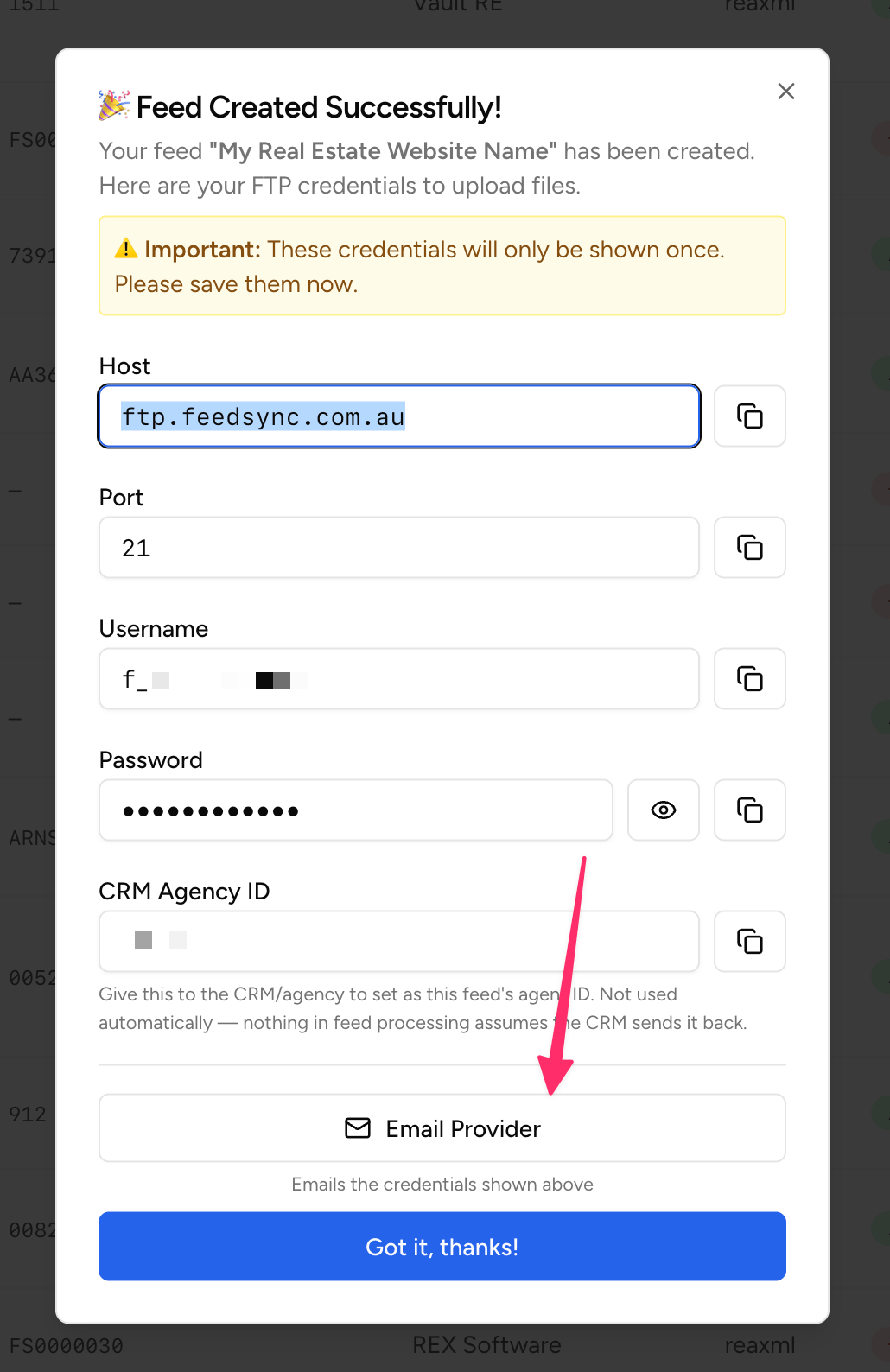
- In the FeedSync Service, create a feed and select the agency's CRM as the provider. The Feed Created screen shows the FTP details the CRM delivers listings to.
- Press Email Provider.
- Check the email. AReview before sending screen shows exactly what will go out before anything is sent: it's addressed to the CRM's setup team, with Easy Property Listings and the agency's email address copied in. (This example is for Vault RE; every CRM gets the same screen.)
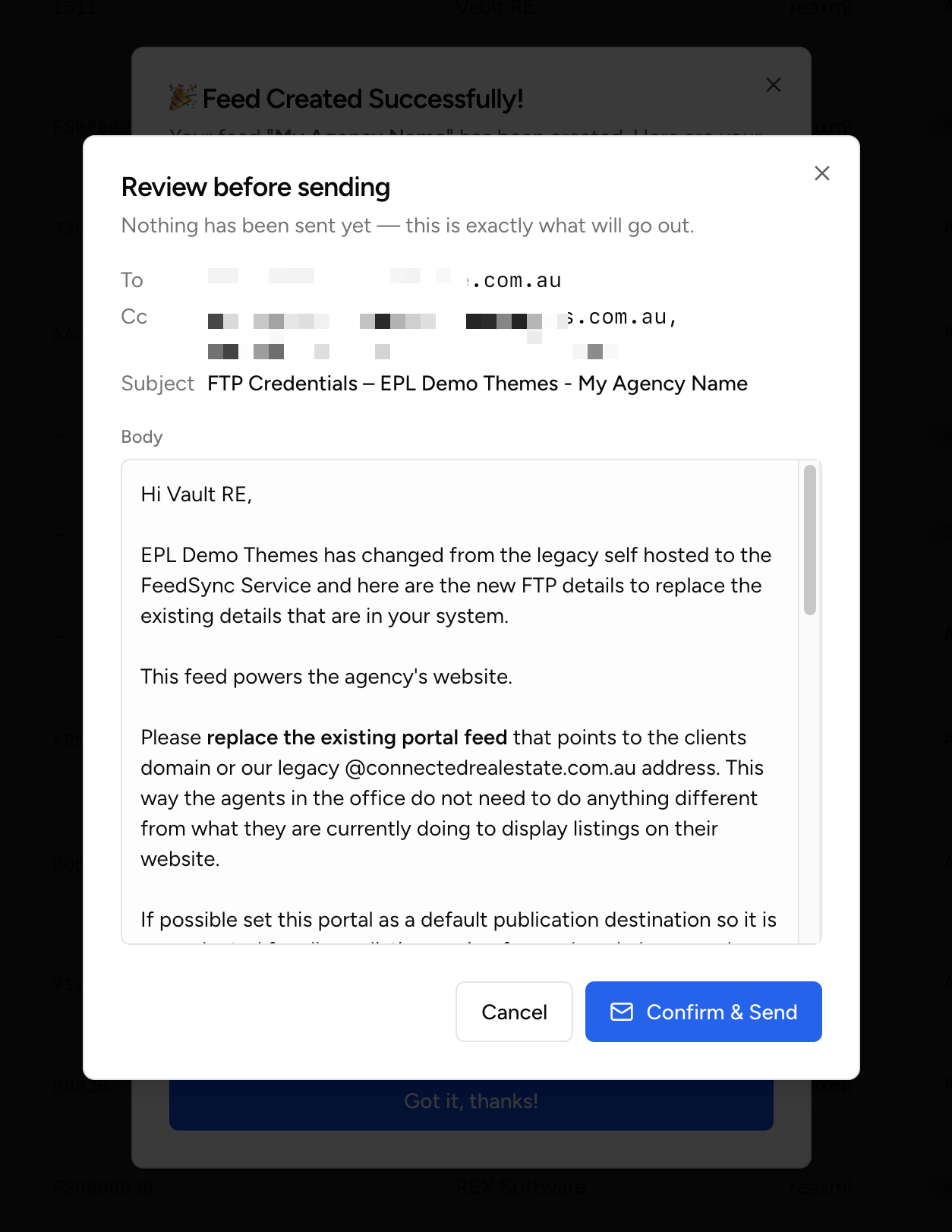
- Press Confirm & Send. The CRM sets up the feed to FeedSync, then lets us and the agency know it's done. From then on, listings arrive in the FeedSync Service.
When we do the installation for you, we press Email Provider as part of the setup.
The FTP credentials are only shown once, so sending them straight from this screen is the easiest way to get them to the right place.