
How to assign an agents listings to another agent
Q: How do we change re-assign all the listings for a particular real estate agent in the FeedSync Service?
Q: How do we delete a real estate agent from his listings as they have left the company or for some other reason?
Q: We have removed an agent from our CRM how do we update them on all the listings?
Agents Screen
The best way to handle any of these situations is to use the Transfer listings to another agent system.
 When an agent is removed from the CRM they are not automatically updated from the CRM so all you need to do is either get the CRM to do a full flush of that agents listings to the feed or use the Transfer listings to another agent button.
Login to the FeedSync Dashboard.
Click Agents on the left hand side.
Search for the agent and press the Transfer listings to another agent button
This will take a min to load as it checks all listings in the feed. Once loaded you will see a dialogue box below where you can transfer these listings to another agent.
Transfer Listings Options
Move all listings from one agent to another agent.
Transfer To: Option provides a list of agents to transfer their listings to.
Scope: Option allows you to select from current/available listings or all listings.
Note: (optional) is a text field you can save as why this action has taken place.
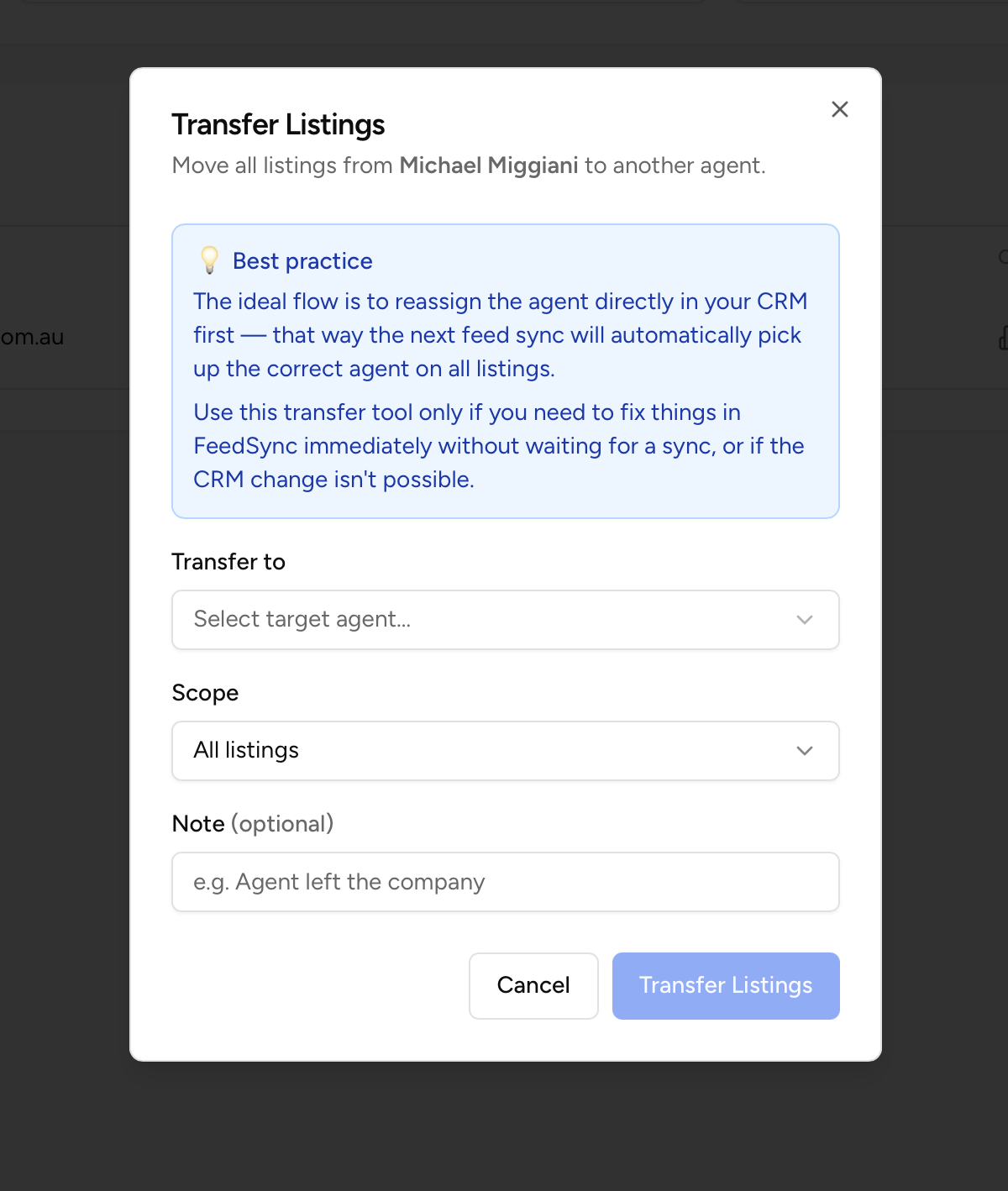
Press the Transfer Listings button to run the Transfer Listings process.
Once completed you can delete the agent from the system. (If they re-join at the company they will be automatically re-added to the system).